How to Redeem an Invitation Code
Find the redemption entry, enter your INV-XXXX invitation code, and receive your product license.
What is an invitation code
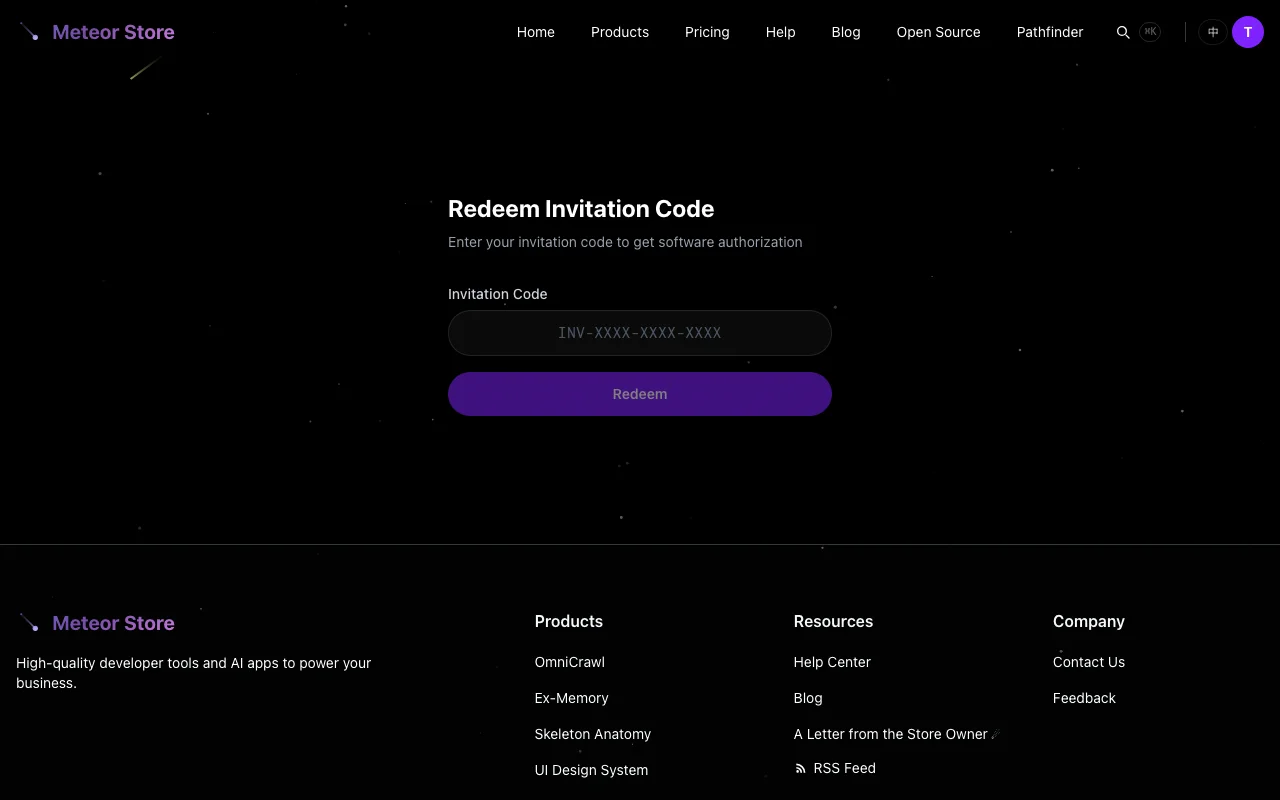 An invitation code (invite code) is a redemption voucher created by an admin. It follows the format
 INV-XXXX-XXXX-XXXX — four groups of four uppercase letters and digits, separated by hyphens. Redeeming an invitation code gives you a product license without paying — effectively, the admin covered the cost on your behalf.
Invitation codes are typically distributed by the store owner through email, community activities, or other channels. If you haven't received one, no code currently applies to your account.
Important: an invitation code and a license key are two different things. An invitation code is what you redeem to get a license key. Do not paste an invitation code into an app's activation box — that field only accepts license keys.
Where to redeem
There are two ways to reach the redemption form:
- On the homepage, below the Meteor Pass pricing section, click the "Have an invitation code? Redeem here" link. This opens a dialog with the redemption form.
- Visit the
/redeempage directly — this is the standalone redemption page and also the link included in redemption success emails.
Redemption requires a login. If you don't have an account yet, register and verify your email first.
Redemption steps
- Log in and open the redemption page.
- Paste or type the full invitation code into the input field. Codes are case-insensitive; the system converts them to uppercase automatically.
- Click the "Redeem" button.
- The system validates the code behind the scenes — checking whether it exists, whether it still has remaining uses, whether it has expired, and whether you have already redeemed this exact code.
- If validation passes, the system generates a new license key and records the redemption. The license key appears in your Account page.
After a successful redemption, you can find the product on your My Products page and use it normally. No purchase flow is needed.
Why redemption might fail
Redemption can fail for several reasons. The system provides a clear error message in each case:
- Code does not exist — Double-check that you typed the full code including the hyphens. Copy-pasting is recommended over manual entry.
- Code is used up — Each invitation code has a maximum number of redemptions. Once all uses are claimed, the code expires.
- Code has expired — Some codes include an expiry date. Expired codes cannot be redeemed.
- You have already used this code — Each user can redeem a given invitation code only once.
Can I combine invitation codes with purchases
Yes. Licenses obtained through invitation codes and those obtained through purchases or free claims are independent of each other. If you redeem a code for a product and later buy a different tier of the same product yourself, both license records appear in your account separately.
Meteor Pass also covers products you obtained through invitation codes. On the My Products page, these products carry the appropriate badge to help you distinguish the source of each entitlement.
Where to find your license key after redemption
After logging in, click your avatar in the top-right corner and select "Account." The account page lists all your license keys. Each entry shows the associated product, order ID, and generation time.
If you redeemed an invitation code for Meteor Pass, the Pass coverage appears on the My Products page as site-wide access rather than a standalone license key entry — this depends on the product type the code was created for. If anything is unclear, reach out to the store owner through the "Feedback" link in the footer.
Related articles
How to Browse, Filter, and Compare Products
Browse products by category, view details and pricing, and find the right product for you.
How to Claim a Free Product
Find free or limited-time-free products, claim them, and access them anytime from My Products.
How to Buy a Product or Meteor Pass
Learn about one-time purchases, Meteor Pass monthly/annual/lifetime plans, and post-payment delivery.
Still need help?
Send us the details of your issue, including the relevant environment and error message, and we'll look into it.
Submit a question